Automate PrestaShop E-Invoicing: Send PEPPOL Files via FTP
This guide outlines how to automatically export PEPPOL invoice via FTP from your PrestaShop website. In order to be able to complete this guide you will need the following prerequisites:
- PHP FTP Extension: Must be enabled on your web server.
- Compatibility: PrestaShop 8.x.x or the latest PrestaShop 9.x.x.
- Module: The Peppol UBL Downloader must be installed and active.
Configure your FTP server
Navigate to Modules > Module Manager and search for Peppol UBL Downloader in the list of modules. Click Configure to open the configuration form. Fill in your FTP server configuration. You can make a dummy connection to your FTP server to verify everything works correctly using the Test FTP Connection button at the bottom of the form.
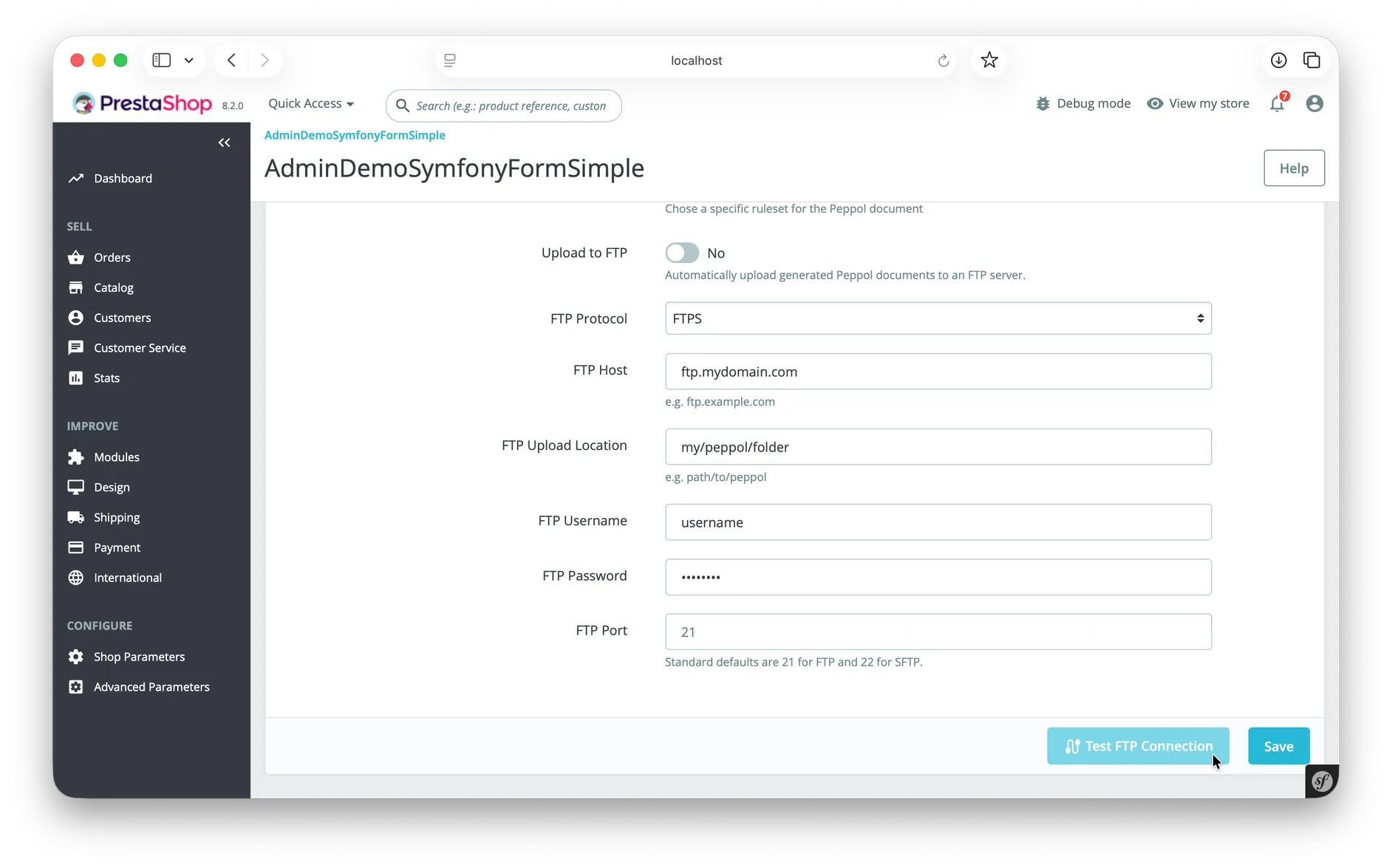
If your connection was successful, you can enable the Upload to FTP checkbox. This option wil automatically upload every new invoice to the FTP server, the moment it was generated.
Troubleshooting
If the invoices PrestaShop generates are not ending up in your FTP server you can consult the logs in order to diagnose the problem. Go to Advanced Parameters > Logs. The module will log all failed FTP uploads here and explain what went wrong. If you are still unable to resolve the issue, feel free to contact us.
Contact
If you have trouble following the steps above or have any additional questions, feel free to contact our support team at hello@nomu.agency.