How to Download PEPPOL Invoices Directly from PrestaShop
This guide outlines how to easily generate compliant PEPPOL (UBL XML) invoices from your PrestaShop website using the Peppol UBL Downloader module. By completing these three steps, your store will be ready to export invoices tailored for the PEPPOL network.
Step 1: Download the Peppol UBL Downloader module
In your PrestaShop backoffice, navigate to Modules > Marketplace or go directly to https://addons.prestashop.com. Search for Peppol UBL Downloader and download the module. Next, navigate to Modules > Module Manager and search for Peppol UBL Downloader. Click Install and wait for PrestaShop to complete the installation process. When you receive a success notification, you can proceed to the next step.
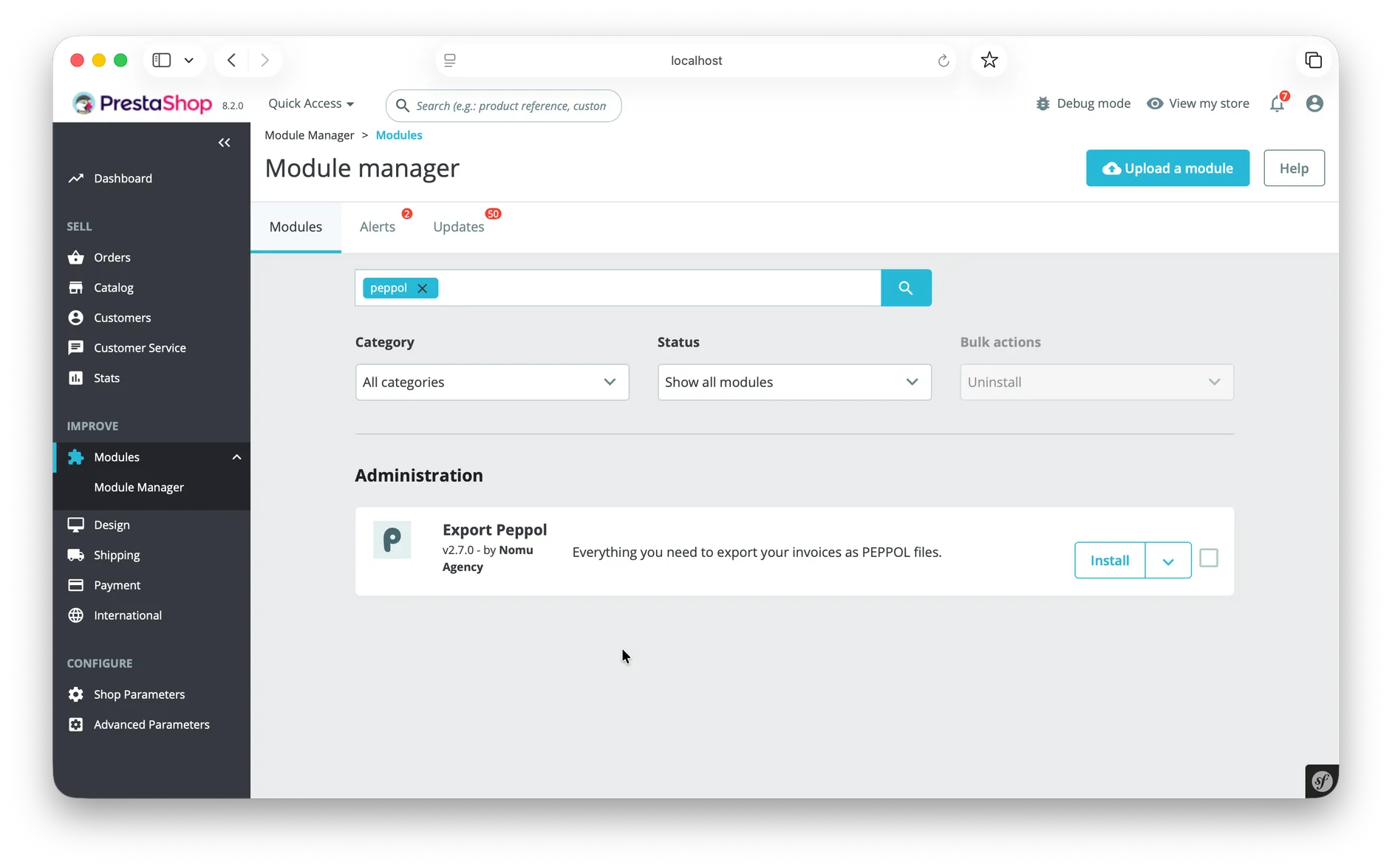
Step 2: Configure your company details
In order to generate compliant PEPPOL invoices, you must correctly configure your company details. In your backoffice, navigate to Shop Parameters > Contact > Stores. At the bottom of the page, you will find a Contact Details section. Make sure you fill in the following fields accurately:
- Store name
- Registration number (this should be your ID for the PEPPOL network)
- Shop address line 1 (line 2 is optional)
- Zip/Postal code
- City
- Country
Step 3: Download PEPPOL invoices
You are now ready to download PEPPOL invoices. In your backoffice, navigate to Orders > Orders. Find an order for which an invoice is available. By default, this happens when the payment is accepted, but this can be configured differently depending on your store's settings. Orders that have an invoice will show an additional download icon. Click it to download this invoice as a PEPPOL XML file.
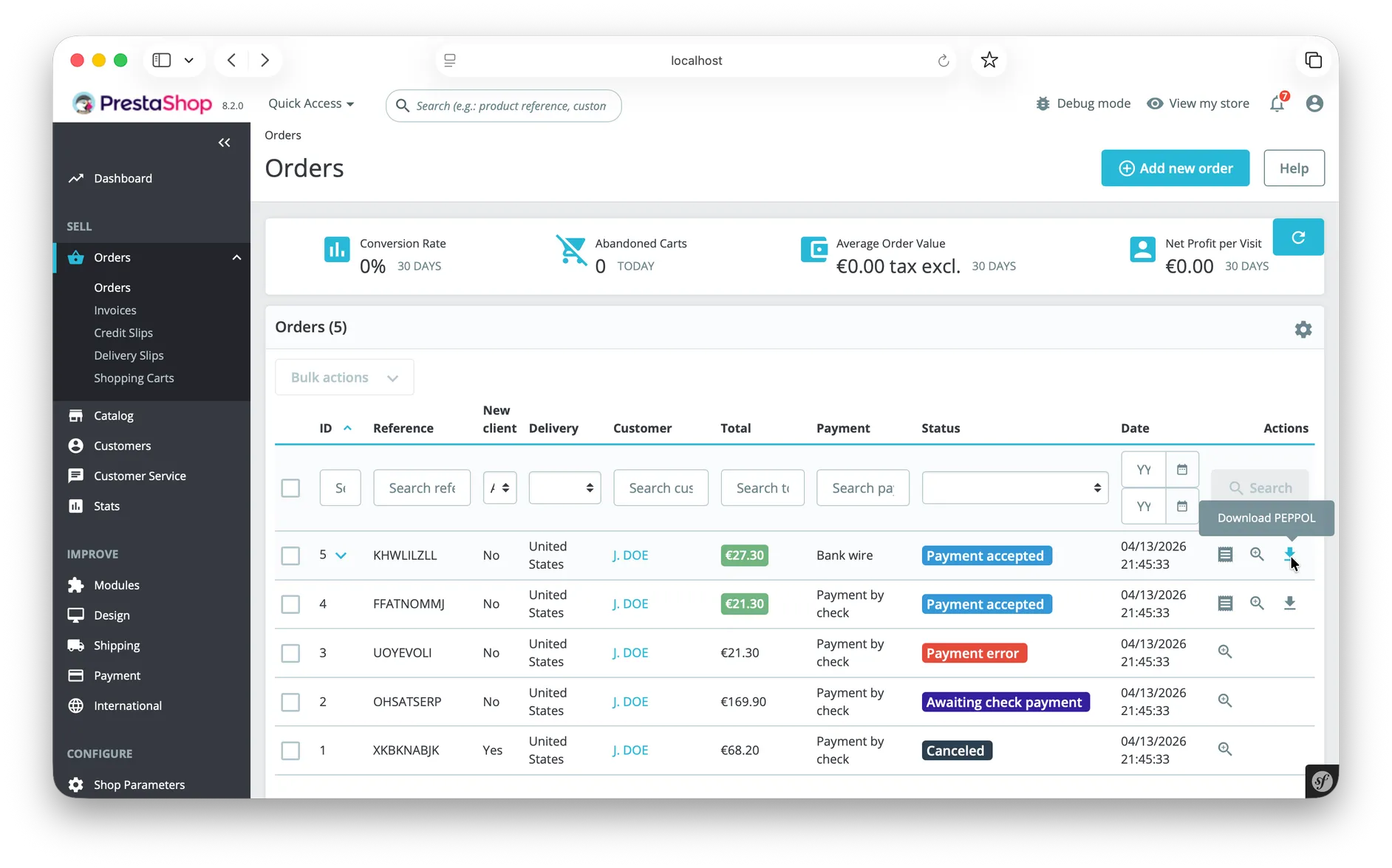
If you like, you can open the downloaded XML document in your favorite text editor or browser to inspect the details yourself.
Troubleshooting and Contact
If you have trouble following the steps above or have any additional questions, feel free to contact our support team at hello@nomu.agency.